Data Recovery Cost in 2026: What to Actually Expect
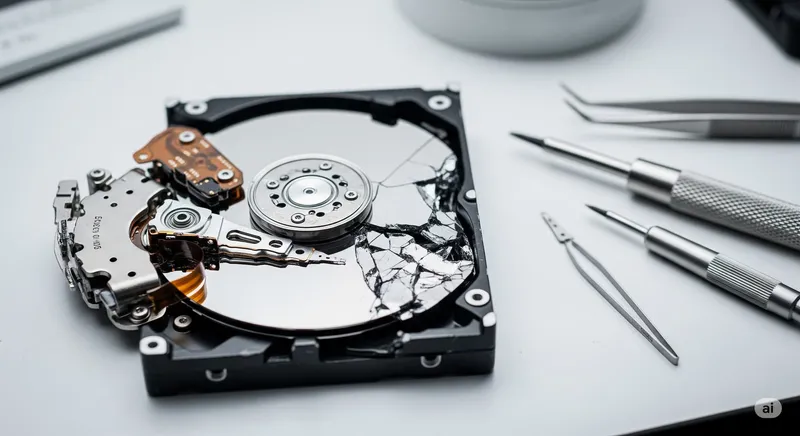
When your hard drive starts clicking — or your laptop simply won’t boot — the question that follows the panic is always the same: “how much is this going to cost?” Honest answer: it depends almost entirely on what failed, and most cases at our Oceanside, Encinitas, and Carlsbad lab fall in the $189–$400 range. More severe physical-damage cases run higher. Less common: the simplest cases are sometimes free if a quick pre-check fixes it. This guide walks through what actually drives the price.
The Three Levels of Data Recovery
Data recovery cost scales with the type of failure, not the size of the drive. The industry roughly groups recoveries into three levels:
Level 1: Logical Recovery — $189 to $300
The drive itself is healthy; the data is just inaccessible. Common scenarios:
- Files deleted from the recycle bin
- Drive accidentally formatted
- Partition table corrupted
- File system damage (NTFS, APFS, exFAT corruption)
- Operating system won’t boot, but the drive reads fine on another machine
- Photo / video recovery from an SD card that “needs to be formatted”
- Recently-overwritten files (sometimes recoverable, sometimes not)
These are typically the fastest and cheapest recoveries — 1–3 business days, no specialized hardware needed beyond imaging tools and recovery software.
Level 2: Firmware & Mechanical Recovery — $300 to $700
The drive has a real fault, but it’s still spinning or partially responsive. Common scenarios:
- Drive shows up but locks up reading certain sectors (bad sectors)
- Drive identifies but won’t mount due to firmware corruption
- SSD controller failure — drive shows zero capacity or won’t be detected
- Slow, intermittent reads from clicking/crunching drives that haven’t fully failed
- Drives needing professional imaging to safely extract data
Level 2 cases need specialized hardware (imager, hardware-level controller tools, donor PCBs in some cases). Turnaround is typically 2–7 business days.
Level 3: Severe Physical Damage — $700 to $2,500+
The drive is mechanically broken — heads crashed, platters damaged, motor seized, board fried, fire/water damage. These cases require:
- Clean-room work (donor parts, head-stack swaps)
- Possibly platter transplant
- Often partial recovery only
We send Level 3 cases to clean-room partners with specialized labs. Turnaround can be 5–20+ business days, and pricing reflects the equipment and expertise required. We explain the case honestly before any commitment — and we’ll always quote you in writing before approval.
What Drives Data Recovery Pricing
| Cost driver | Effect |
|---|---|
| Logical vs physical failure | Physical typically 3–10× the cost of logical |
| HDD vs SSD vs RAID/NAS | SSD chip-off and RAID rebuilds are pricier than HDD |
| Capacity of the drive | Minor impact on imaging time; not a big factor |
| Encryption (BitLocker, FileVault, hardware encryption) | Usually adds difficulty if keys aren’t available |
| Whether it’s been opened by another shop | Significantly increases cost — DIY attempts can corrupt data |
| Time pressure / rush turnaround | Can add a rush fee; we keep this transparent |
What the “No Data, No Fee” Policy Actually Means
A lot of data-recovery shops advertise “no data, no fee,” but the small print varies. At PC Repair Center:
- Free initial evaluation — we tell you whether the case is recoverable before you commit a dollar
- Written quote — you see the exact price before approving
- No data, no recovery fee on approved Level 1 and Level 2 cases — if we can’t extract your data, you don’t pay the recovery fee
- Diagnostic fee may still apply on cases that require deep analysis to determine recoverability — but this is disclosed up front
- Clean-room (Level 3) cases typically include a non-refundable evaluation fee due to the cost of the work, but you’ll always know that fee before approving
The honest version of “no data, no fee”: it’s a real customer protection on the cases where the outcome is uncertain. It doesn’t apply to “I want to pay $50 instead of $300” — the pricing is what the work costs.
Common Mistakes That Double the Cost
Three mistakes we see often that turn a $200 recovery into a $700+ one:
- Continuing to use a clicking drive. Every power-on of a head-crashing drive risks more damage. If you hear clicking or grinding, power down and stop. Bring it in.
- DIY chip-off, drive opens, “I tried recovery software.” Opening an HDD outside a clean room introduces dust onto the platters. Running aggressive recovery software on a failing drive can overwrite recoverable data. Stop early.
- Putting the drive in rice (or in the freezer). Both are folk-tales. Rice doesn’t dry electronics. Freezing thermally cycles the drive and can crack components. Power off and bring it in dry.
How Long Does Data Recovery Take?
- Level 1 (logical): 1–3 business days for most cases
- Level 2 (firmware/mechanical): 2–7 business days, depending on complexity
- Level 3 (clean-room): 5–20+ business days, depends on parts availability for donor drives
We provide an estimated timeline with the written quote. If you have a hard deadline (court date, business audit, professional deliverable), tell us — we can sometimes prioritize with a rush fee disclosed up front.
How to Get an Accurate Quote
The single most useful thing you can do is bring in the drive without opening it or running software on it. We do a free initial assessment at the counter — we can usually tell you whether it’s a Level 1 case (cheaper, fast) or higher (more involved) within 15–30 minutes. From there:
- We’ll explain what’s wrong, in plain language
- Quote the recovery in writing before any billable work
- Walk through what’s likely to be recovered vs what isn’t
- Give you a realistic timeline
For business-critical or time-sensitive cases (deposition data, accounting backups, irreplaceable family photos, professional deliverables), call ahead and we’ll prioritize the bench — see emergency data recovery.
Get Data Recovery in Oceanside, Encinitas, or Carlsbad
We do data recovery for North County San Diego from our Oceanside lab, with drop-off available at all three shops. Free initial evaluation at the counter, written quote before any work, and the no-data-no-fee policy on approved Level 1 and Level 2 recoveries.
See our data recovery service page for full details, or walk in for a free assessment.