Local vs Chain Computer Repair: 2026 Comparison
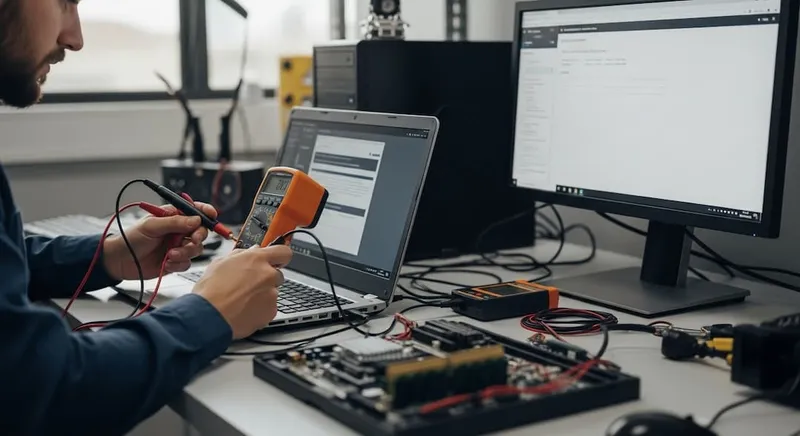
If you’ve ever stood in line at a big-box electronics store with a broken laptop, looking at a 7-day turnaround and a flat-fee quote that doesn’t quite match what’s wrong with your machine, you’ve already encountered the trade-off: convenience and brand recognition vs. a local shop that actually looks at your specific computer. This guide is an honest comparison from someone who runs a local shop — including where the chain option genuinely makes sense.
The Two Models
Chain / big-box computer repair — A national or regional service desk inside a retail store. Standardized intake forms, scripted diagnostic workflows, parts sourced through corporate procurement, technicians who rotate stores, and pricing set centrally. Examples include the major electronics-retailer service desks and franchised repair chains.
Local independent shop — A small business with one or a few locations. The technician you talk to is often the one who fixes your computer. Parts sourced from regional distributors or direct from manufacturers. Pricing typically per-job rather than flat-fee. Hours and response time vary, but turnaround is often dramatically faster.
Both models legitimately repair computers. They differ in how they do it, what you actually pay for, and who benefits.
What You Actually Get for Your Money
Pricing transparency
Local independent: You typically get a written, itemized quote with parts and labor broken out before any work starts. The technician explains what’s wrong — not “the diagnostic indicated a Level 2 service is required.” If the bill changes mid-repair, you’re called and asked.
Chain / big-box: Standardized service tiers with flat fees that may or may not match what your computer actually needs. The diagnostic is often included, but the upsell tree is real — additional services get layered onto the original work order, and a $99 diagnostic can become a $400 invoice if you’re not paying attention.
Bottom line: Local shops are usually cheaper for what you actually need; chains can be cheaper if your problem fits a flat-rate tier exactly.
Turnaround time
Local: Most common repairs are same-day or next-day at our shops. Walk in by mid-morning, pick up by close-of-business. Specialty parts add 1–3 days for shipping.
Chain: Often 5–10 business days because devices ship to a central depot for repair. The store you dropped off at frequently isn’t the store the device is repaired at.
Bottom line: If you need it back this week, local wins by a wide margin. If you’re not in a hurry, the chain timeline doesn’t matter much.
Parts quality
Local: Most independent shops use OEM (original-manufacturer) or high-quality compatible parts and tell you which is going in your machine. You can usually request OEM specifically.
Chain: Typically a mix — OEM where corporate procurement has it, generic where it doesn’t. The customer rarely gets to choose, and the work order rarely specifies.
Bottom line: If part quality matters to you (premium laptop, professional workstation), local lets you specify. If you don’t care, chain is fine.
Technician access
Local: You can call the shop, ask for the technician working on your machine, and get a real conversation. We’ve had customers email us photos of intermittent error messages — and the tech has time to look.
Chain: Customer service is centralized. Calls route through a queue. The person on the phone usually isn’t the person doing the repair, and may not have direct access to the tech.
Bottom line: Local wins for complex or weird issues that need a back-and-forth. Chain is fine for simple, well-defined problems.
Data privacy
Local: Your computer typically stays in the shop you dropped it at. The technician handling it is named. Chain-of-custody is short.
Chain: Devices often ship between facilities, sometimes across state lines. The number of people who handle your computer is much higher, and the chain-of-custody is longer.
Bottom line: If you have sensitive personal or business data, local has a clear privacy advantage.
Warranty
Both offer warranties, but they differ:
Local: Workmanship warranty (typically 30–90 days) covering the specific work performed. If your screen replacement fails, the shop fixes it free. Doesn’t cover unrelated future problems.
Chain: Often a longer-sounding warranty (1 year+) that may exclude many specific failures, may require shipping back to a central depot, and may take weeks to honor.
Bottom line: Length favors chains; ease of use favors local.
Where the Chain Option Actually Makes Sense
We don’t pretend our model wins every comparison. Cases where a chain or big-box service desk is genuinely the right choice:
- Manufacturer warranty work. If your laptop is still under manufacturer warranty, the authorized service center (often co-located with the chain) is the right place. Going independent typically voids the warranty.
- Insurance-covered repair. Some device-protection plans require service through a specific chain. Use the option you’re already paying for.
- You’re in a town with no good independent options. Rural areas, small towns, or far-flung suburbs sometimes have only a chain. Use it.
- Truly one-shot generic work like a battery replacement on a 5-year-old chain laptop where you don’t care about the part brand or technician.
Where Local Wins Most Clearly
- Time-sensitive repairs. Same-day turnaround almost always beats a 5–10 day depot turnaround.
- Anything weird or intermittent. Diagnosis-heavy cases benefit from a tech who has time to actually investigate.
- Premium hardware or workstations. OEM parts, careful handling, and proper post-repair calibration matter more on a $3,000 machine than on a $400 one.
- Data recovery and ransomware response. This is specialty work; chains often refer it out anyway, so go straight to a specialist.
- Custom builds and gaming PCs. Chains rarely service these well. Local independent shops who build PCs do it daily.
- Ongoing relationships. Small businesses that need repeat IT support benefit from a tech who knows the environment.
How to Choose
A practical decision framework:
- Is it under manufacturer warranty? If yes — use the manufacturer’s authorized service. Don’t void the warranty.
- Is your data sensitive? If yes — local, where chain-of-custody is shorter.
- Is it time-critical? If yes — local, almost always faster.
- Is it a flat-rate-friendly job (battery, SSD swap, OS reinstall)? Either works. Compare the local quote to the chain flat fee.
- Is it complex, intermittent, or specialty (data recovery, board-level, custom build)? Local with a specialist.
- Are you outside a metro area? Use whatever’s there. Chain or local — getting the repair done matters more than picking the “right” model.
What We Do at PC Repair Center
Honest summary of how we operate, so you can compare:
- Free pre-check at the counter — no charge before any diagnostic
- Written quote with parts and labor itemized before any billable work
- Same-day or next-day turnaround on most common repairs (walks in our Oceanside or Encinitas shops; Carlsbad by appointment)
- 60-day workmanship warranty
- OEM or high-quality compatible parts — we tell you which we’re using before installing
- Real humans answer the phone — typically the same tech working on your machine
- Local pickup and delivery for business clients by arrangement
- Mail-in repair option for customers outside North County San Diego
Get a Free Pre-Check at PC Repair Center
If you’re in Oceanside, Encinitas, or Carlsbad and want a no-obligation second opinion on a repair quote, walk in for a free pre-check. We’ll tell you whether your specific issue is the kind we can do same-day, or whether it’s something that genuinely warrants a different shop.
See our computer repair and laptop repair pages for the full service list, or book a slot online.