Custom Gaming PC Build: Should You Build or Buy in 2026?
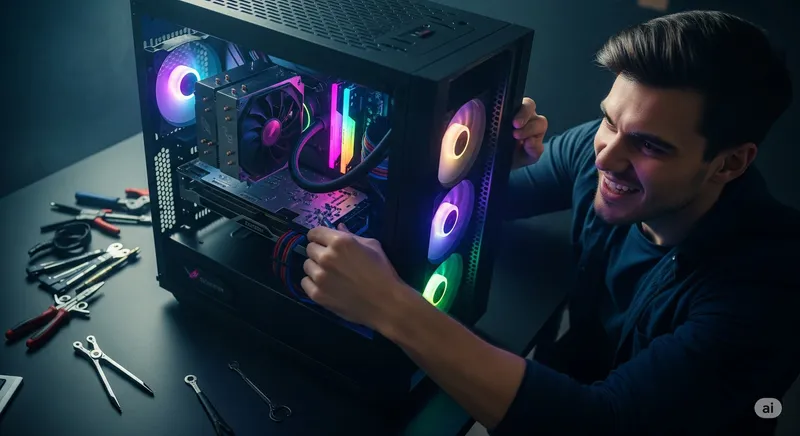
The “should I build or buy a gaming PC” debate has shifted a lot since 2021. GPUs are available again, but prebuilt margins have tightened, Windows licenses are bundled, and the DIY cost gap isn’t what it used to be. Here’s the honest 2026 breakdown from the team that does custom gaming PC builds every week at our Oceanside, Encinitas, and Carlsbad shops — with real numbers and the trade-offs nobody puts in a YouTube title.
The short answer
- Building yourself: Best if you enjoy the process, want specific components, and have 4–8 hours and the patience for troubleshooting. You’ll save roughly 5–15% vs. a prebuilt at the same spec in 2026.
- Buying a big-brand prebuilt: Best if you want it plug-and-play, same-day, with a single-source warranty. Pay a premium, trade flexibility.
- Local custom build (shop-built to your spec): The middle path. You choose the parts; a shop assembles, cable-manages, tests, and warranties the whole thing. Usually 5–10% above pure DIY, 10–20% below a big-brand prebuilt.
The actual right answer depends on a handful of specific questions — not “is it cheaper.” Let’s break them down.
2026 pricing reality check
A fair-but-honest look at a mid-range 1440p gaming build in spring 2026 (Ryzen-class CPU, mid-tier current-gen GPU, 32 GB DDR5, 1 TB NVMe, 750W PSU, mid-tower case, Windows 11):
| Path | Typical total | Notes |
|---|---|---|
| DIY from scratch | $1,350 – $1,550 | Best parts prices, your labor is free. Add $139 if you need a Windows license. |
| Local shop custom build | $1,450 – $1,700 | Same parts, professional assembly, stress-test, warranty on the build. |
| Big-brand prebuilt at the same spec | $1,650 – $1,950 | Budget OEM parts (PSU, RAM, case fans often downgraded). Single-source warranty. |
| Boutique prebuilt (Maingear, Origin, iBuyPower Pro) | $2,000 – $2,400 | Premium parts, premium margin, long lead times on anything customized. |
A high-end 4K / 240Hz build scales all four columns roughly proportionally, but the gap between DIY and shop-built stays in the $100–$250 range for most configurations — which is often well under the cost of one bad part swap if something goes wrong.
Where prebuilts quietly cut corners
When you see a prebuilt at what looks like a killer price, the savings usually come out of the parts that aren’t on the front of the box:
- Power supply. Unbranded or bottom-tier 80+ White units. Often undersized for future GPU upgrades.
- RAM. Single-channel kits (one stick) in slots where dual-channel would give ~10% more game performance.
- SSD. DRAM-less budget NVMe that slows down dramatically under load.
- Case fans and cooling. Quiet on the spec sheet, loud in practice, and the thermals are marginal.
- Motherboard. B-series boards with limited VRM headroom — fine now, a ceiling later if you want to upgrade the CPU.
None of these corners show up in the headline specs. A custom-configured build — whether you do it or we do it — lets you spend an extra $30 on a real PSU and $40 on a dual-channel kit and end up with a machine that lasts years longer.
Questions that should actually drive the decision
”How do I feel about troubleshooting?”
Building a PC in 2026 is easier than it was a decade ago. It is still not foolproof. Common first-boot problems:
- BIOS needs a flash before the CPU will even POST.
- RAM in the wrong slots (motherboards want sticks in A2/B2, not A1/B1).
- CPU cooler backplate reversed or AM5 retention tension too low.
- Front panel headers wired backward.
- A single bent Intel socket pin from when you eased the CPU in “too hard.”
If the thought of debugging that on a $1,500 pile of parts raises your blood pressure, that’s a real cost. Either pay a shop, or pay a big brand to absorb it.
”Do I have a warranty plan if the GPU dies in year two?”
- DIY: Individual component warranties (1–3 years on most parts, 10 years on some PSUs, 3–5 on good RAM). You are the integrator if something conflicts.
- Shop custom build: Ours is 90 days labor + full manufacturer warranties on the parts. Something dies → we’re the first call, we handle the RMA, you get your PC back working.
- Big-brand prebuilt: Typically 1–2 years total system. After that you’re on your own with parts that may not be consumer-retail (proprietary PSUs, fans, motherboards).
The prebuilts that actually justify their premium are the ones where the warranty + support is worth the extra $200–$400.
”Do I want to upgrade later?”
This is where prebuilts most often bite their owners. Some big-brand machines use proprietary motherboards, cases, and PSUs that make upgrading a GPU or CPU later literally impossible — new parts won’t physically fit or power connectors aren’t standard.
A DIY or shop-built PC uses standard ATX parts. Three years from now, drop a new GPU in and keep going. That alone is worth 10–15% at purchase time.
”How much is my weekend worth?”
A first build from scratch takes most people 4–8 hours assembly + another 1–3 hours on Windows install, drivers, and early troubleshooting. Experienced builders, more like 2–3 hours total. A shop build is turned over to you in 3–5 business days, fully configured and burned in, with zero of that time coming out of your weekend.
If you genuinely enjoy the build process, this is a plus of going DIY — it’s part of the product. If you just want to game on Saturday, it’s a cost.
When we actively recommend each path
Go DIY if…
- This is your first build and you’re excited to learn. The experience is real value.
- You have very specific part preferences (that one case, that one CPU cooler, that one motherboard for ECC RAM / specific I/O).
- Your budget is tight enough that $100–$200 of labor matters more than hours of your time.
- You have friends who’ve built PCs and can bail you out on the inevitable first-boot snag.
Go shop-custom if…
- You want a pro-quality build with specific parts, but troubleshooting isn’t your idea of fun.
- You want one throat to choke on warranty — parts + labor under one roof.
- You’re upgrading an older machine and only want to buy the parts that actually need replacing (more on this below).
- Professional use: streaming, video editing, CAD. Downtime on the first week would cost more than the premium.
Go big-brand prebuilt if…
- You need it today or the next day.
- You don’t know or care about part specifics — you just want a known-good gaming PC and a single phone number to call if anything breaks.
- You’re shopping on a major sale (Black Friday, back-to-school) where prebuilts genuinely beat DIY on specific GPUs.
Go boutique prebuilt (Maingear / Origin / iBuyPower Pro) if…
- Budget isn’t the main constraint.
- You want premium cable management, custom loops, or specific aesthetic work.
- You want 2+ years of US-based white-glove support.
The “upgrade, don’t replace” option
One more path most build-vs-buy articles skip: a lot of the time, you don’t actually need a whole new machine.
At the shop we see this constantly — someone comes in quoted $1,500 for a new gaming PC, and after a real diagnosis the real answer is:
- $300 GPU upgrade and their 3-year-old CPU/RAM/storage are fine for another 2–3 years.
- $100 SSD upgrade turns a “slow” gaming rig back into a fast one.
- $60 PSU replaces an underpowered unit that was bottlenecking a GPU the user already owned.
- $40 of thermal paste + a proper cleaning recovers 15-20% of performance they thought was gone forever.
Before you buy a whole new PC, it’s worth 20 minutes of free diagnostic time to see whether a $200 upgrade gets you to the same place.
- Custom gaming PC builds
- GPU installations / SSD upgrades / RAM upgrades / Power supply replacement
- Related posts: How to Fix a Slow PC, Repair Any Computer: DIY vs Call a Pro, 10 Most Common Computer Problems, PC Motherboard Repair
The honest summary
DIY, shop-build, and prebuilt are not three choices for the same thing. They’re three different products: a project, a custom product, and a turnkey product. The worst buying decisions we see are people who pay shop-build prices for a prebuilt, or DIY-troubleshoot their way into a machine they aren’t enjoying.
If you want to talk through a build — or get a price against a prebuilt you’re eyeing — we’ll spec it out honestly and tell you which path actually makes sense for you. Free, no pressure, at any of our Oceanside, Encinitas, or Carlsbad shops. Contact us or start with an instant quote.